Clipboard history
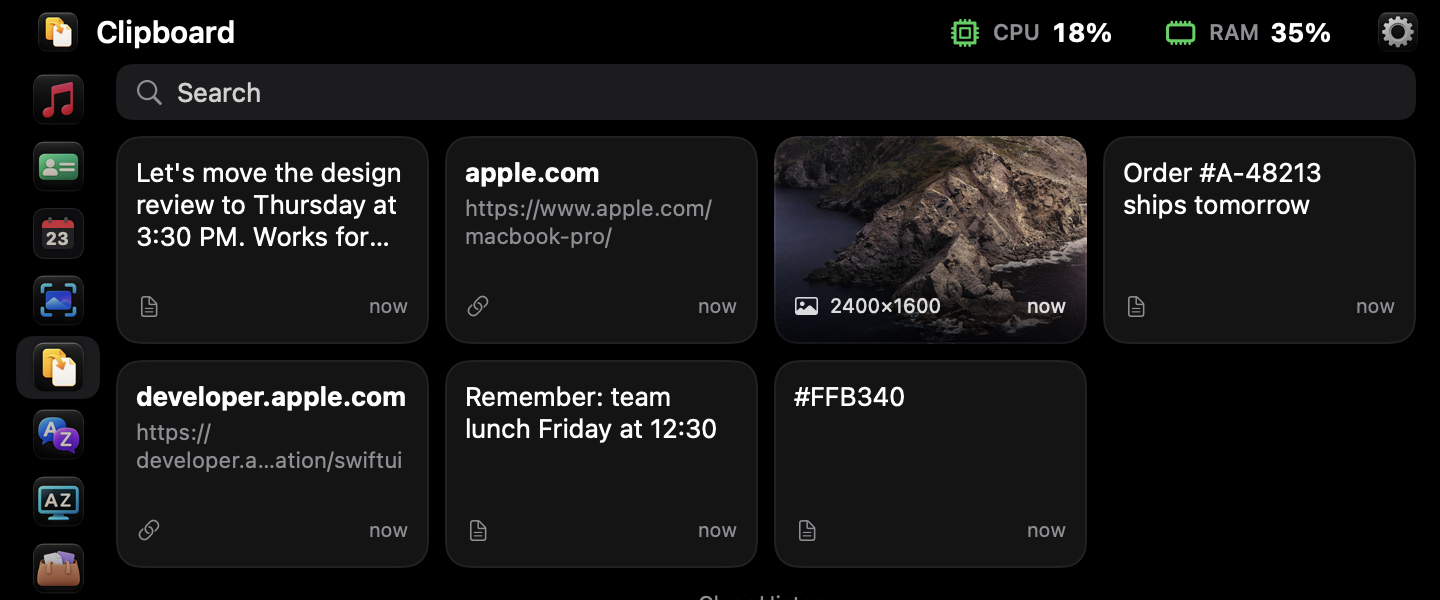
Everything you copy — text, links and images — in one searchable list. Pin what you use often. Passwords from password managers are never saved.
 Brow Notch
Brow turns the notch at the top of your MacBook screen into a panel of the things you reach for all day. Hover it — take what you need — it's gone.
Coming soon to theMac App Store$4.99 one-time purchase · macOS 15 or later
Hover the notch or press ⌥ ⌘ V. Pick a section on the left. Brow never takes the space of a window and never gets in your way.
Everything you copy — text, links and images — in one searchable list. Pin what you use often. Passwords from password managers are never saved.
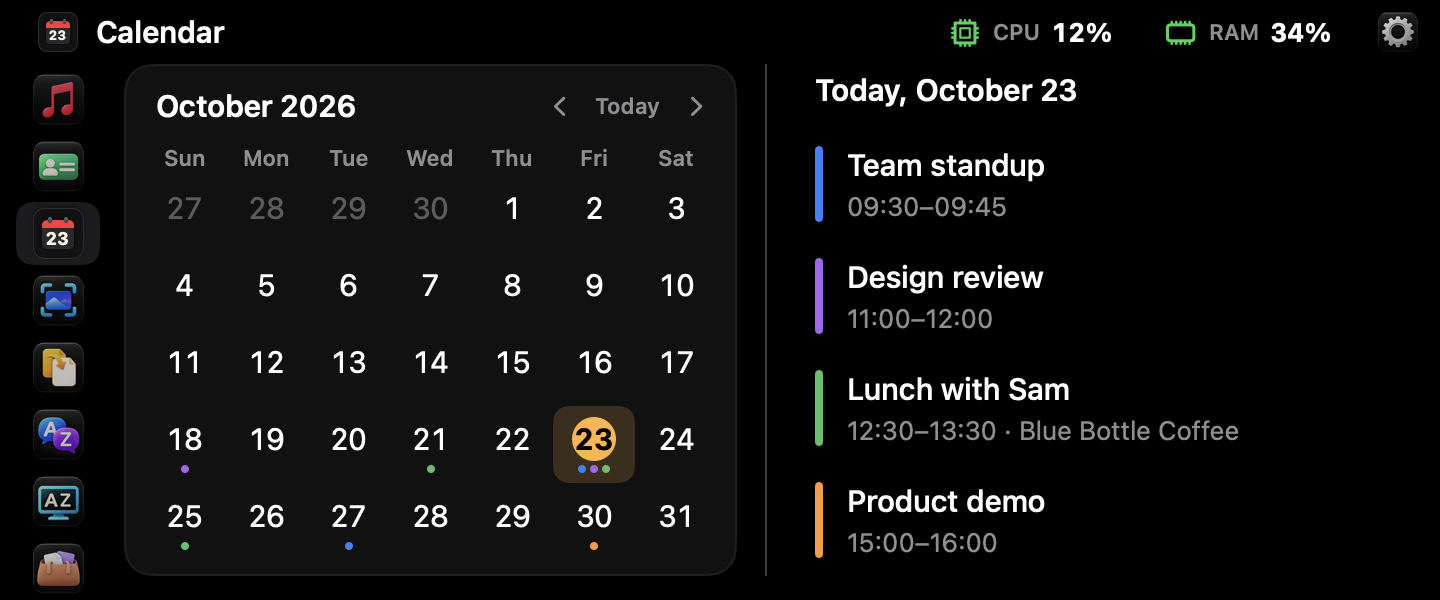
Your upcoming meetings at a glance, with a one-click link to join online calls.
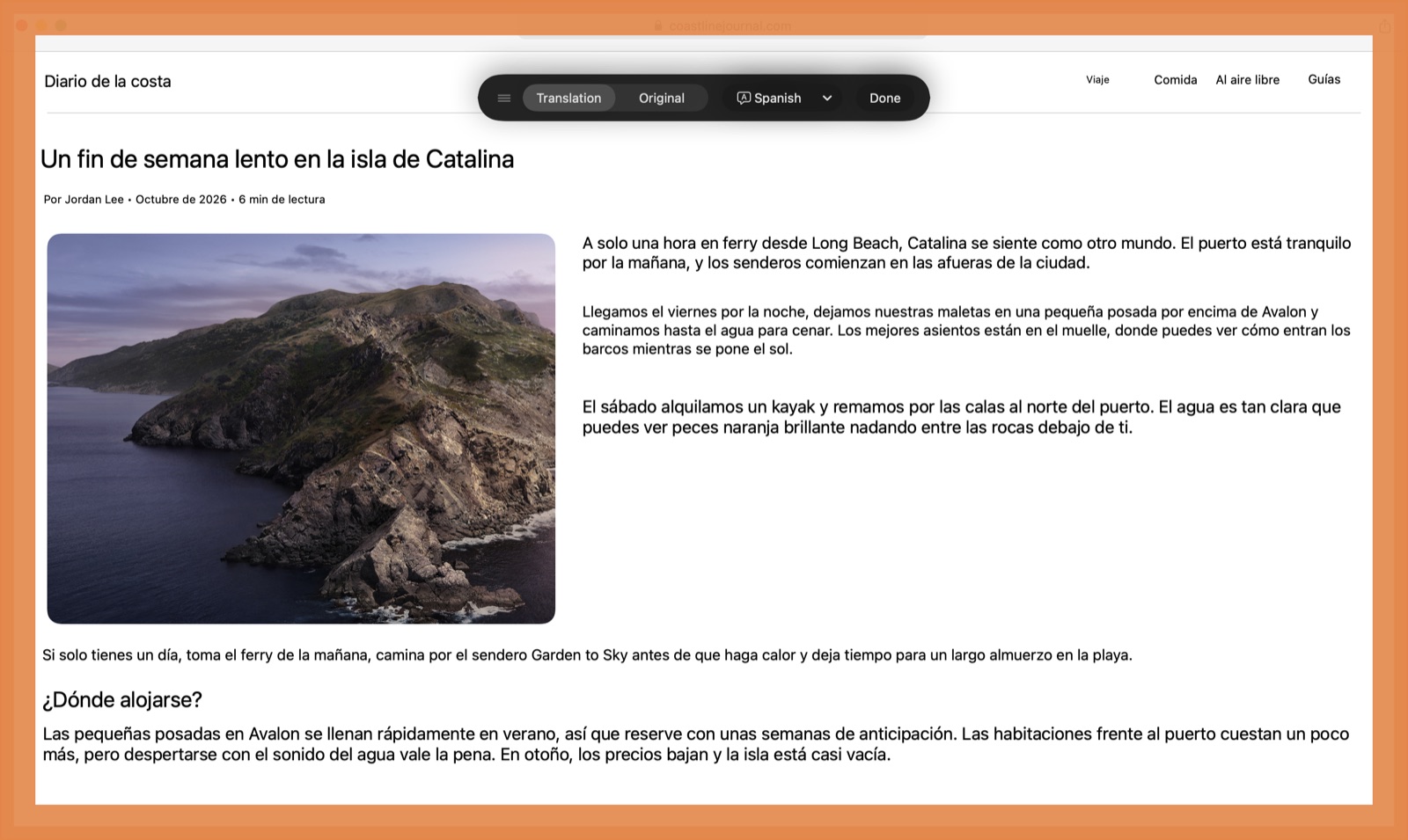
Translate a whole window — a website, a video, a document — right on top of it. Pick the window; Brow reads it once, on your Mac.
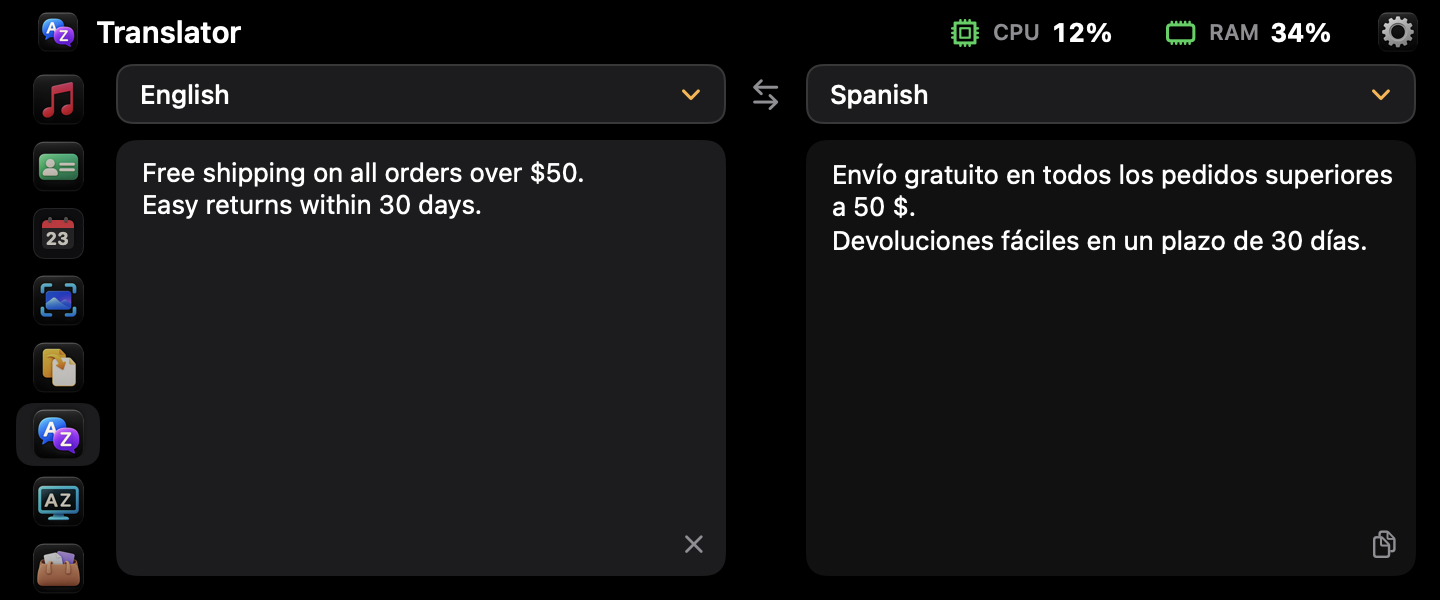
Type or paste text and get the translation instantly, with Apple's built-in on-device languages.
Drag any file to the notch and drop it in. It waits until you drag it out to a folder, an email or a chat. Brow keeps a link, not a copy.
New screenshots appear in the panel right away. Select several and drag them anywhere at once.
Keep two cards — personal and work — and copy the whole card or a single field in one click.
See what's playing in Apple Music or Spotify, pause or skip without switching apps — or play songs from a folder on your Mac.
Brow has no account, no analytics and no network code. It doesn't connect to the internet at all — your clipboard, files and cards never leave your Mac.
On a Mac without a notch or on an external display, the panel opens from the top center of the screen. Brow speaks English, Spanish and Russian.